Tampilkan postingan dengan label Software. Tampilkan semua postingan

Sabtu, 16 Maret 2013

Winamp is a skinnable, multi-format media player. Winamp supports a wide variety of contemporary and specialized music file formats, including MIDI, MOD, MPEG-1 audio layers 1 and 2, AAC, M4A, FLAC, WAV, OGG Vorbis, and Windows Media Audio. It supports gapless playback for MP3 and AAC, and Replay Gain for volume leveling across tracks. In addition, Winamp can play and import music from audio CDs, optionally with CD-Text, and can also burn music to CDs. Winamp supports playback of Windows Media Video and Nullsoft Streaming Video, as well as most of the video formats supported by Windows Media Player. 5.1 Surround sound is supported where formats and decoders allow. Winamp supports many types of streaming media: Internet radio, Internet telelvision, XM Satellite Radio, AOL video, Singingfish content, podcasts, and RSS media feeds. It also has extendable support for portable media players, and users can access their media libraries anywhere via internet connections. You can extend Winamp's functionality through the use of plug-ins, which are available on the Winamp site.

 Winamp 5.63 Full Screenshot

 Silakan Download Di Bawah Ini :


 Download VLC Media Player 2.0.4 (32-bit)


Nero BurnLite 10 Free Full Version Kebutuhan minimun system untuk Nero BurnLite 10:
  1. Operating sistem: Windows® XP SP3 (32-bit), Windows Vista® SP1 (32 and 64-bit), Windows® 7 Home Premium, Professional, Enterprise or Ultimate (32 and 64-bit)
  2. Processor: 2 GHz, AMD atau Intel®
  3. RAM: 512 MB atau 1 GB RAM untuk Windows Vista® or Windows® 7.
  4. Hard drive: 300 MB ruang hard drive untuk instalasi secara penuh (termasuk temporary file)
Nero 10 versi gratis ini mendukung beberapa media untuk dibakar yaitu CD-R, CD-RW, DVD±R, DVD±RW, DVD-RAM, dan DVD±R DL. Selain itu, Nero BurnLite 10 ini jug amendukung beberapa format disk yaitu Data CD (ISO, UDF, ISO/UDF) dan Data DVD (ISO, UDF, ISO/UDF). Update (8 Juli 2011) Sekarang ini Nero BurnLite telah diganti namanya menjadi Nero Kwik Burn. Software ini tetap gratis (free). Ada beberapa perubahan yang tejadi setelah pergantian nama ini. Detail lengkapnya silahkan Anda baca di: http://www.nero.com/eng/downloads-nbl-free.php. Selain itu, file installernya juga menjadi lebih besar yaitu 174,13 MB serta ruang harddisk yang dibuthkan menjadi 1GB. Tertarik untuk mecoba Nero 10 versi gratis ini? Silahkan download Nero BurnLite 10 Free Full Version melalui link di bawah:  

MP4 to MP3 Converter
File Size: 3.35MB Operating System: Windows XP/2000/2003/Vista/Windows 7 Software Version: 3.0  

Download MP4 to MP3 Converter

Untuk merubah dokumen PDF ke dokumen Word, Anda memerlukan sebuah Software. Software tersebut adalah PDF to Word converter. PDF to Word Converter sangat mudah digunakan. Anda tinggal menentukan file PDF yang akan dikonversi dengan mengklik tombol Browse. Kemudian output file akan otomatis di letakkan di lokasi tempat file PDF tadi.
Download PDF to Word Converter Anda juga bisa memilih halaman yang akan dikonversi ke word dengan menentukannya di bagian Convert Pages. Selain itu, Anda bisa menentukan font yang digunakan pada hasil konversi dengan memilih Font pada kotak pilihan font. Hasil konversi juga bisa otomatis dibuka setelah proses convert selesai. Hal bisa dilakukan dengan menandai pilihan Open document for editing after conversion. Untuk memulai proses convert PDF ke Word, Anda tinggal mengklik tombol Convert to Word Document.
Bagaimana? Ingin segera menggunakan PDF to Word Converter? Download PDF to Word Converter melalui link di bawah:


PDF To Excel Converter

PDF To Excel Converter

PDF To Excel Converter

Editable - Edit Your PDF Forms In MS Excel! Easily - Convert PDF To Excel Document Just In Only 3 Clicks. Fast - New PDF To Excel Converter conversion engine, 160% faster than other Converter. Page Range - Convert Selected Pages of PDF document To Excel format. Batch Mode - Convert HUNDREDS of PDF Files to Excel XLS at One Time.

PDF To Excel Converter - Key Features

Convert PDF to Excel

- Convert PDF to Excel XLS format, you can edit PDF forms in MS Excel.

No Need Microsoft Excel Installed

- PDF To Excel Converter can convert PDF to Excel without Microsoft Excel installed.

Full Conversion

- PDF To Excel Converter will not only convert forms, but also keep all PDF text into Excel result file.

Easy To Use

- With PDF To Excel Converter, you can convert PDF to Excel in only 3 Clicks.

Fast Conversion

- PDF To Excel Converter conversion engine is 160% faster than other PDF converters.

Batch Mode

- You can convert hundreds of PDF documents to Excel XLS files with batch mode.


PDF To Excel Converter

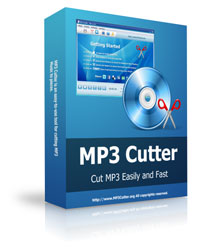
MP3 CutterEasy to Use - Cut MP3 music to pieces in few clicks. MP3 Cutter Features 40+ Formats Supported - MP3 Cutter supports more than 40 popular audio & video formats. MP3 Cutter Features Audio Converter - Convert audio files between MP3 and other formats. MP3 Cutter Features Audio Extractor - Extract music from video files to MP3 format. MP3 Cutter Features Ringtone Maker - Make ringtones from any audio or video files.   


MP3 Cutter Screenshot 
mp3 cutter